

Knowbuild
HOMEBill of Materials
QERP.CRM · Bill of Materials

Bill of Materials, built into your Business Operating System

Save each product once with its parts and sub-assemblies. Then choose how it is fulfilled: built ahead and kept in stock, or put together as a kit when it ships. KnowBuild shows how many you can sell today, tells purchase exactly what to buy, and keeps every part in stock correct.

Multi-level BOM

Sub-assemblies, unlimited levels

Build ahead

Finished stock via inventory conversion

Scan at dispatch

Kits built from parts as they ship

Multi-level, unlimited levelsBuild ahead or build at dispatchKnow what you can sell today

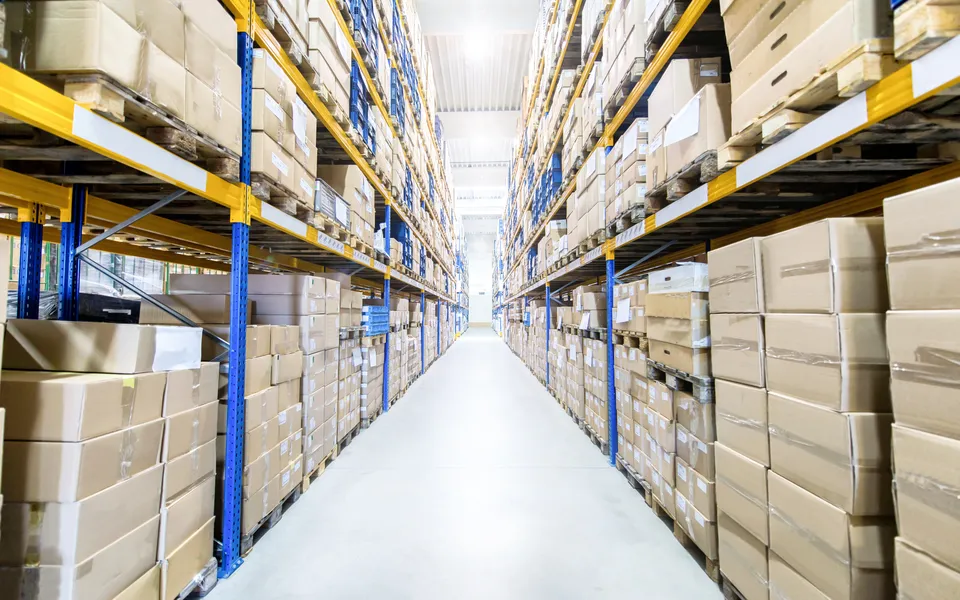
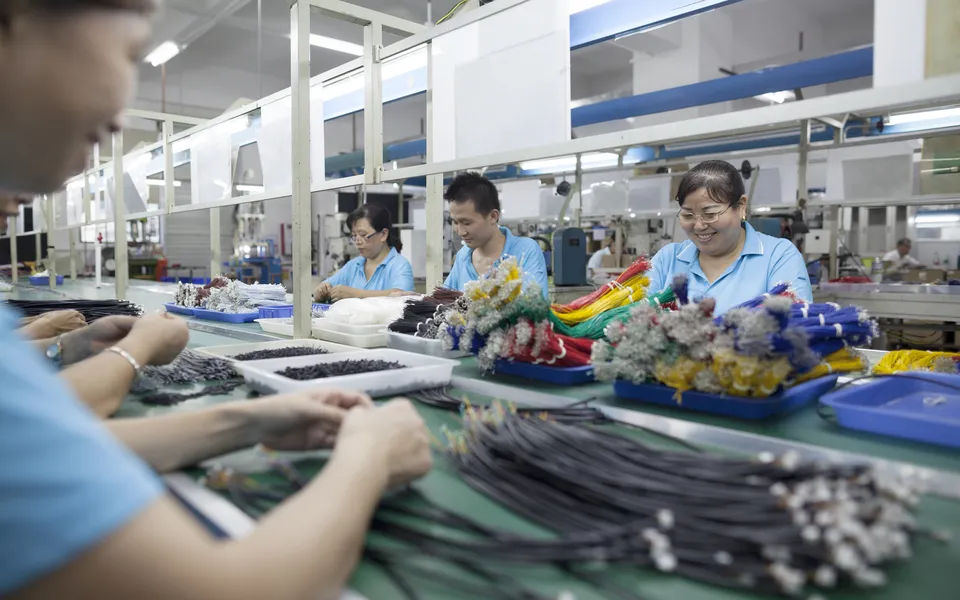
Built for distributors who sell kits and manufacturers who assemble. If you sell bundles made from items you stock, or assemble products from bought-out parts and sub-assemblies, the bill of materials in QERP.CRM, KnowBuild's Business Operating System, connects every quote and order to parts, stock, purchase and dispatch.

Knowbuild
A
YC

Your Company Pvt Ltd

LED Lighting · Assemblies · Kits

OFFER

OF/2026/0912 · 06 Oct 2026 · V1

To: Purchase Manager, Brightway Electricals, KanpurEmergency and portable lighting for the dealer network

ProductPrice (₹)Disc.QtySubtotal
LED Emergency Light, 2 × 1 WBuilt ahead · housing, driver board, Li-ion battery1,4508%2002,66,800
Rechargeable LED TorchBuilt ahead · body, LED module, battery, charging board6808%3001,87,680
LED Keychain LightBuilt ahead · LED, CR2032 button cell, switch, housing8510%20001,53,000
KIT × 10Emergency Lighting Kit, per floorKit at dispatch · 10 lights, brackets, spare batteries16,5005%121,88,100
Spare Battery Pack, 1800 mAhLi-ion, for emergency lights240—5001,20,000

Assemblies ship from finished stock · Kits are put together at dispatch from items in stock · Offer validity: 15 days

Subtotal9,15,580
Freight8,000
GST @ 18%1,66,244
Final Total₹10,89,824

Rupees Ten Lakh Eighty-Nine Thousand Eight Hundred Twenty-Four Only

Photo-based offer format · product images are representative · illustrative data

What KnowBuild does for your business

One parts list. Two ways to fulfil.

Choose, product by product, how each one is fulfilled. Both use the same bill of materials, and stock stays correct either way.

One parts list, many levels
Knowbuild
KnowbuildProduct Manager

LED Emergency Light · BOM

2 levels
Driver board (sub-assembly)× 1
↳ LED, 1 W white× 2
Li-ion cell, 18650× 1
Housing and switch× 1
Can build today120

• Short: Li-ion cell

One parts list, many levels

Every product carries its bill of materials, including sub-assemblies that have their own parts, across as many levels as you need. KnowBuild works out how many you can supply, and which part is holding you back.

Option 1 · Build ahead, sell from stock
Knowbuild
KnowbuildInventory Conversion

Build ahead · LED Emergency Light

Built
Driver boards built first (sub-assembly)200
Emergency lights built200
Parts used1,400 items
Stock updatedAutomatically

• Ready to sell from stock

Option 1 · Build ahead, sell from stock

For products you build before the order comes in. Record them as finished stock: sub-assemblies first, then the product. Every part used comes off stock, and the finished units go on.

Option 2 · Put it together as you ship
Knowbuild
KnowbuildDispatch

Kit at dispatch · Emergency Lighting Kit

Scanned
LED emergency light× 10 ✓
Mounting bracket× 10 ✓
Spare battery pack× 5 ✓
Kit stock heldNone

• Parts reduced at dispatch

Option 2 · Put it together as you ship

For kits and bundles, keep only the parts in stock. KnowBuild shows how many kits you can sell from those parts. When the kit is dispatched, the warehouse scans each part and each one comes off stock.

Illustrative data. Screens show how the bill of materials, inventory conversion and dispatch appear in KnowBuild.
What a bill of materials changes in your business

Eight ways KnowBuild grows your revenue and protects your margin

Each one is a problem we hear from distributors who sell kits and manufacturers who assemble. Select a problem to see what changes.

Before

A customer wants 10 kits. Can you supply them today? Someone has to walk into the store.

A kit or assembly needs many parts. Stock is checked part by part, by hand. One missing part holds up the whole order, and the customer hears about it on the delivery date.

KnowBuild · PQV · Bill of Materials

What changes

For every product with a bill of materials, your team sees how many you can supply today, worked out from the parts in stock, and which part is short. They see it before they quote, in the same line as price and discount.
Who uses the bill of materials

How you sell decides which option you use most

Choose per product

Built ahead and kits in one system

Many businesses do both: standard products built ahead, and kits or options put together as they ship. The win is one system that handles both.

  • Fulfilment method chosen for each product.
  • The same bill of materials for both.
  • One view of what you can supply today.
  • One dispatch process for everything.

Who this is for

Businesses with a standard range built ahead and kits or options put together at dispatch.

Standard rangeCustom kitsSpares
One order, one record

From first inquiry to final payment, every team works on the same order

Here is how an order with a bill of materials moves through KnowBuild.

1
Inquiry Manager

Inquiry

An inquiry comes in for emergency lights and lighting kits. It goes to the right salesperson.

2
Lead Manager

Lead

The need is real. The company and its people (who approves, who pays) are saved.

3
View Offers

Offer

Each product is quoted as one line, with today's price and how many you can supply.

4
Opportunities

Opportunity

The client is serious. The deal counts in your sales forecast, and purchase sees the parts it will need.

5
Confirmed Orders

Order Confirmed

The PO comes in. Purchase buys the short parts. Assemblies ship from stock, and kits are put together and scanned at dispatch.

6
Order Closed

Order Closed

Delivered and fully paid. Every part used has come off stock.

KnowBuild does not schedule your shop floor or track work orders, routing or work-in-progress between production stages. It connects your bill of materials to quotes, purchase, stock and dispatch.

See the real screens

See what you can supply, and what to buy next

PQV · Product / Price Quantity Quick View
Product NameProduct ClassAvailable StockPrice (₹)Max Disc. %Incoming Stock
LED Emergency Light, 2 × 1 WBuilt ahead · 180 in stock · can build 120 more · short: Li-ion cellSKU1801,4508—
LED Keychain LightBuilt ahead · 1,600 in stock · can build 900 more · short: CR2032 button cellSKU1,6008510 QBD—
Emergency Lighting Kit, per floorKit at dispatch · can supply 18 · short: noneKit1816,5005—
Surgical Dressing KitKit at dispatch · can supply 40 · short: noneKit401,2505—

Illustrative data

How many you can supply, in one line

For every product with a bill of materials, built ahead or kit at dispatch, your team sees how many you can supply today and which part is short.

Procurement Dashboard
Stock BreachPurchase AlertStock Forecasting
Item NameBOM ItemAvailableNeeded for confirmed orders
Li-ion cell, 18650Yes · Parent Items: 3240820
CR2032 button cellYes · Parent Items: 21,1002,000
LED, 1 W whiteYes · Parent Items: 41,5002,200

Illustrative data

Buy for real orders, not guesses

See which parts your confirmed orders will run short of. If one part goes into many products, you see all of them.

Two ways to start

Start where it hurts most, and expand once it works

👍 Recommended for manufacturers

Run the whole business on one system

For makers who hold material, deliver to sites and give credit to institutions.

  • Inquiries, offers and follow-ups in one place
  • Products with their parts list, and how many you can make today
  • Alerts telling purchase what to buy, and when
  • Delivery orders, barcode checks before despatch, e-invoice and e-way bill
  • Payments due, reminders and credit limits
See the full system
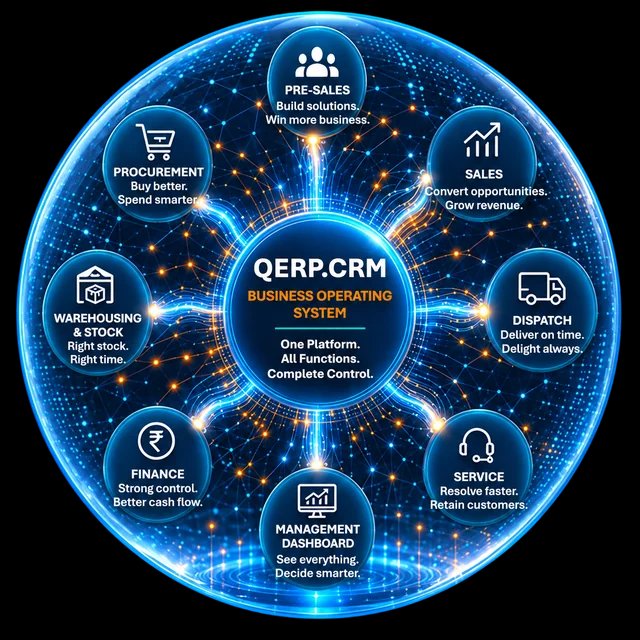
QERP.CRM business operating system connecting every business function
🧮 Keep Tally, fix the selling

Sales OS: the Revenue Operating System

For firms whose biggest need is quoting, follow-ups and collections, and who want to keep Tally for now.

  • Every inquiry captured and given to the right salesperson
  • Quotes within discount limits, with follow-up reminders
  • Orders, dispatch instructions and payment tracking
  • Works alongside Tally, and moves up to QERP.CRM later
See Sales OS
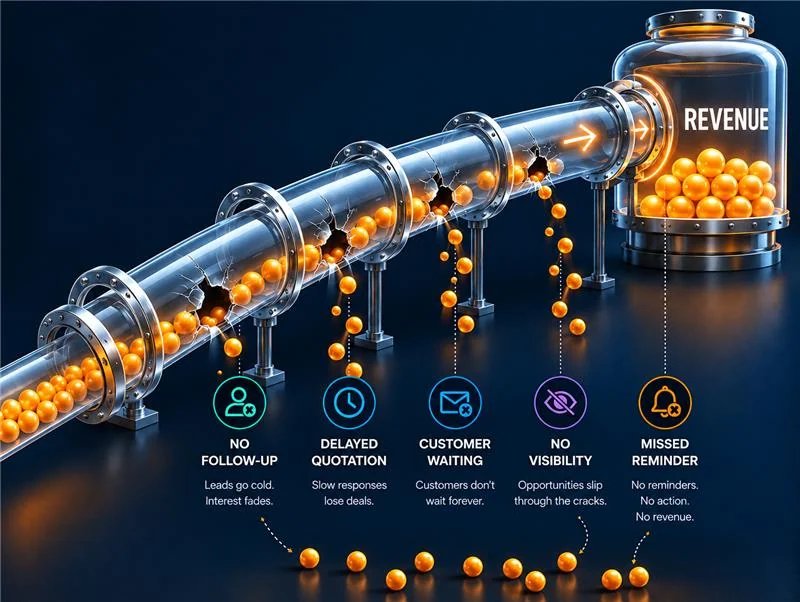
Sales OS revenue operating system turning opportunities into revenue

What's the difference? Sales OS runs your selling: inquiries, offers, follow-ups, orders and payments, working alongside Tally.

QERP.CRM is the full Business Operating System: everything in Sales OS, plus stock, purchase, dispatch, invoicing and finance, all connected. Start with either, and move up any time without losing data.

Most businesses with kits or assemblies begin with a 10 user starter pack on one workflow, usually inquiry-to-order or order-to-dispatch.

3X in 5 years
Built, not imagined

KnowBuild was born inside an Indian B2B business that grew 3X in five years. It has many products, imports and sells locally, and has money locked in stock, just like yours. That business still runs on KnowBuild today.

FAQ

Questions about the bill of materials

What are the two ways to fulfil a product?↓

Built ahead: you assemble the product before the order comes in and record it as finished stock through inventory conversion. Kit at dispatch: you keep only the parts in stock, and the kit is put together when it ships, with each part reduced at dispatch. You choose the method for each product when you set it up.

How many levels can a bill of materials have?↓

As many as you need. A product can contain sub-assemblies, which can contain their own sub-assemblies. Each sub-assembly is saved once and used wherever it is needed.

We sell medical and surgical kits to hospitals. Does that work?↓

Yes. Save each kit, such as a surgical dressing kit, a delivery kit or a first-aid kit, once with its items. KnowBuild shows how many complete kits you can supply from the items in stock, and which item is short. At dispatch, each item is scanned against the order and comes off stock.

Does KnowBuild schedule production on the shop floor?↓

No. KnowBuild does not handle work orders, routing, work-in-progress between stages, job cards, machine scheduling, or scrap and yield. It is built for products assembled from parts and sub-assemblies, not for staged production.

What happens to stock if an order is returned?↓

The same parts that went out go back into stock, even if the product's parts list has changed since. Stock in the system stays the same as stock on the shelf.

Do we have to stop using Tally?↓

No. Keep Tally for your final accounts. You can start with Sales OS next to Tally to fix inquiries, quotes, follow-ups and payments, and move stock, purchase and dispatch onto KnowBuild when you are ready.

How do we start?↓

With a 5-user pilot on the one area that hurts most, usually quote-to-order or order-to-delivery. You grow from there once it works.

The Second Brain for Your Business. Know your business, build it better.